SuPAR Enhances Augmented Reality Inspection with New AI Capabilities
SuPAR has announced its 2026 release, expanding its augmented reality quality inspection platform with new capabilities for collaboration, guided inspection, AI-supported checks and documentation. From preparing projects to reviewing results and checking reworked parts, SuPAR 2026 helps manufacturing teams keep inspection activities and information connected.
The release introduces SuPAR Insight and Assisted Part Inspection, alongside Follow-up Inspection, Extended AI Capabilities, Custom POI Fields and Auto Save. Together, these additions support a digital inspection workflow in which teams can access shared projects, understand findings in context and coordinate subsequent actions.
SuPAR Insight Brings Teams and Inspection Data Together
Quality inspection information needs to reach the people responsible for understanding findings and coordinating next steps. SuPAR Insight gives teams a shared space for projects, checklists and completed inspections.
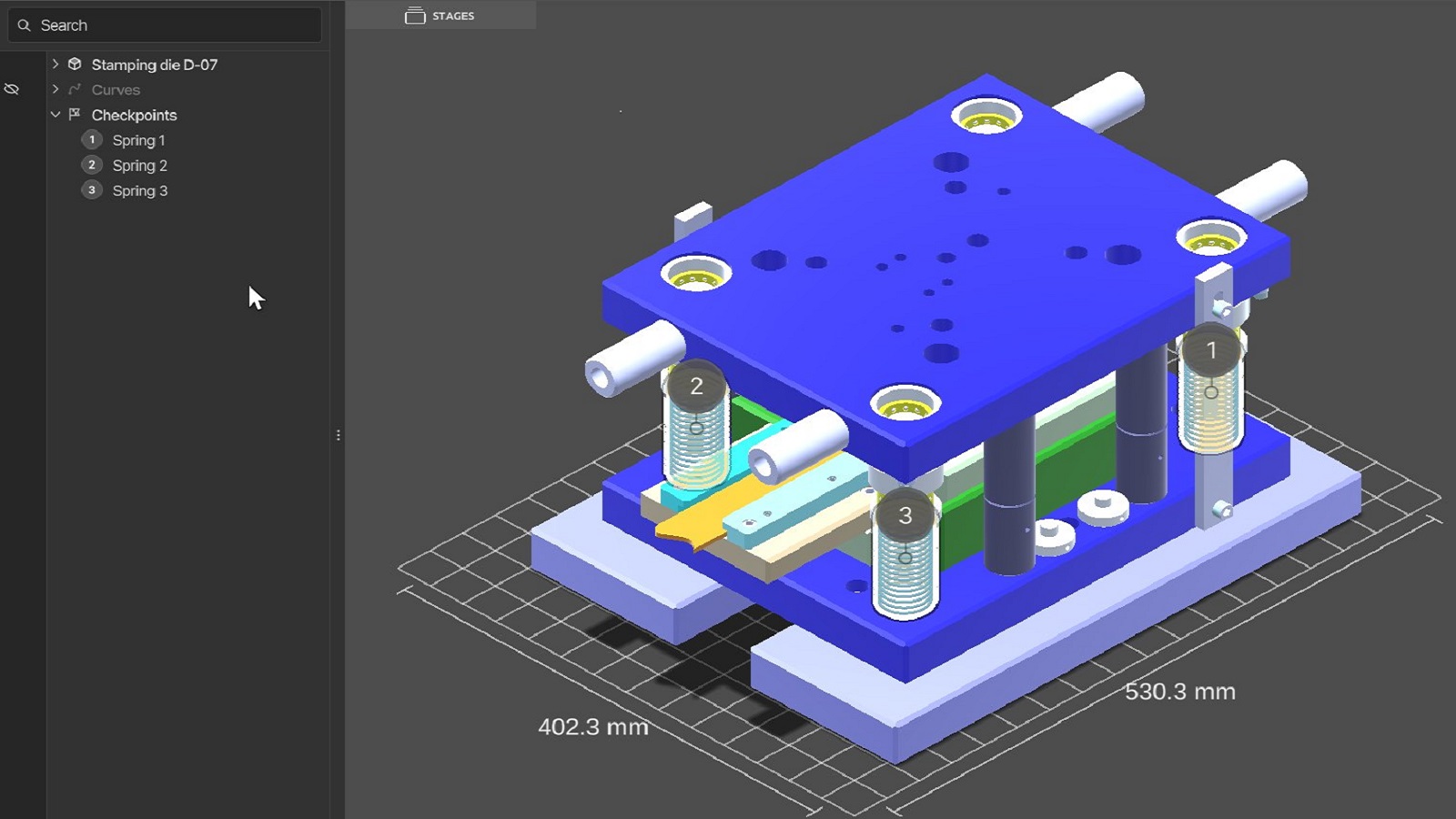
SuPAR Insight displays completed inspection results and checkpoint information in a browser-based 3D viewer.
Users can explore inspection results in 3D directly in their browser, reviewing findings in the context of the inspected model. Shared folders with defined access rights help teams make projects and results available to the appropriate people.
By bringing inspection data into a shared environment, SuPAR Insight connects project preparation, inspection and review, supporting collaboration between the teams involved in manufacturing quality control.
Assisted Part Inspection Focuses Attention Where It Is Needed
Assisted Part Inspection provides real-time, color-coded guidance on the iPad to help inspectors spot potentially missing or moved parts.
The feature directs attention to areas that need a closer look, adding visual assistance to the inspection process. Inspectors can use this guidance to review selected components against the digital reference and assess potential discrepancies.
Preparation in SuPAR Composer: selected CAD parts become part inspection checkpoints.
The final decision remains in the inspector’s hands. Assisted Part Inspection supports the evaluation, while the inspector determines and records the result.
Follow up Inspection Connects Rework With Verification
Identifying a problem is one step in the quality inspection process. Once rework has been performed, teams need to check the affected parts and document the outcome.
Follow-up Inspection allows users to start a new inspection from a completed one, carrying over previous checkpoints and findings. Earlier results remain at hand, giving inspectors a clear starting point for reviewing reworked parts.
This continuity helps teams retain the context of the original finding as they move into subsequent checks, connecting inspection results with rework verification.
Extended AI Capabilities Support Welding and Sealant Inspection
SuPAR 2026 extends AI-supported inspection workflows with segmentation capabilities for welding and sealant inspection.
Ribbon markup for AI Smartpoints in SuPAR Composer makes segmentation tasks easier to prepare. Improved object detection markups also support the preparation of AI inspection tasks.
These additions expand the tools available to teams building AI-supported inspection workflows and preparing the digital references used during checks.
Custom POI Fields Capture Process Specific Information
Different inspection processes require different information. Custom POI Fields allow teams to build checkpoint forms around their workflows, using custom fields and conditional questions to capture relevant details.
Custom POI Fields let inspectors record process-specific information directly at the checkpoint on the iPad.
Inspectors can record answers directly on the iPad, including when working offline. The captured information is then available in reports and SuPAR Insight, keeping process-specific details connected with inspection findings.
This gives teams a structured way to document the information needed to understand a result and determine the next action.
A More Connected Approach to Quality Inspection
The SuPAR 2026 release brings new capabilities to the stages before, during and after inspection. Shared access to projects and results helps teams work together, visual guidance supports inspectors during checks, and follow-up inspections keep earlier findings connected with rework verification.
Extended AI capabilities and custom checkpoint forms further support the preparation and documentation of inspections, helping teams turn findings into informed next steps.
For more information: www.supar.tech