Robot-Mounted 3D Inspection Combines DepthScan Imaging with PolyWorks Measurement
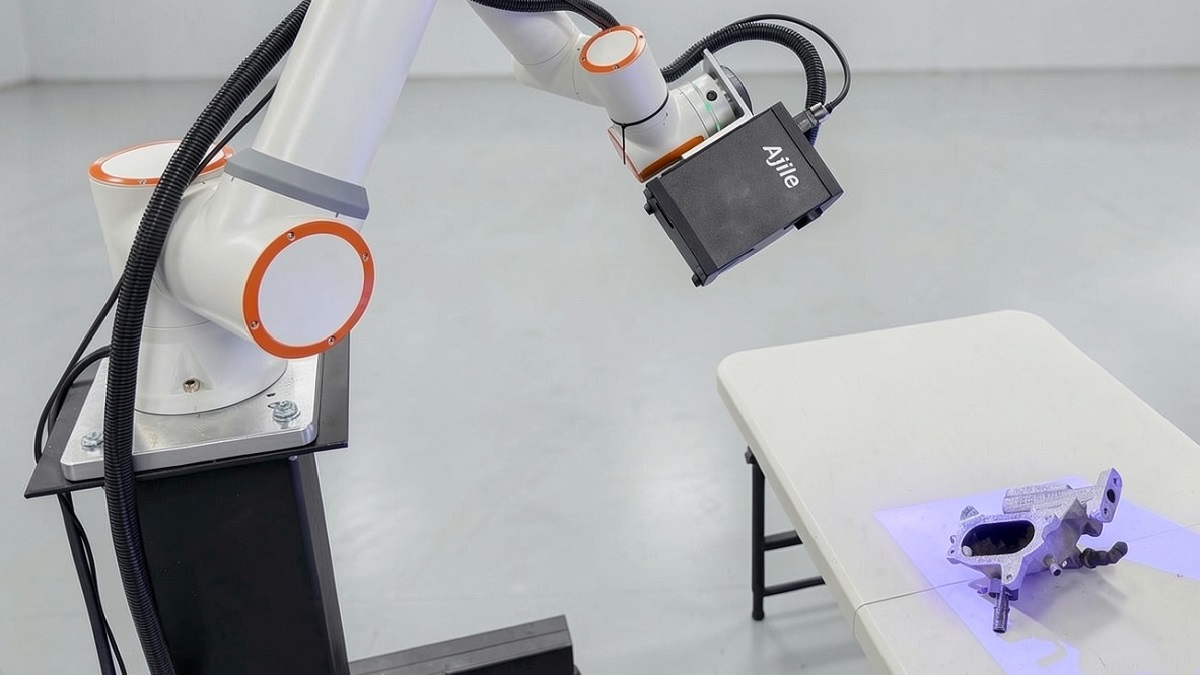
Robot-mounted 3D inspection can automate the capture of complex part geometry while integrating measurement and reporting into established quality workflows. A solution combining the Ajile DepthScan 3D Imager with PolyWorks inspection software uses robot positioning to capture features from multiple viewing angles, then measures the resulting point cloud against CAD models and engineering drawings.
The approach addresses a key challenge in automated optical inspection: ensuring that critical features are captured from suitable angles to support reliable dimensional measurement. Bores, bolt holes and side faces, for example, may require near-normal viewing angles to obtain useful measurement data.
By carrying a DepthScan 3D Imager to programmed positions around a component, the robot can capture these features from the required viewpoints. The individual captures are registered in the robot’s coordinate frame and combined into a full-colour point cloud representing the inspected part.
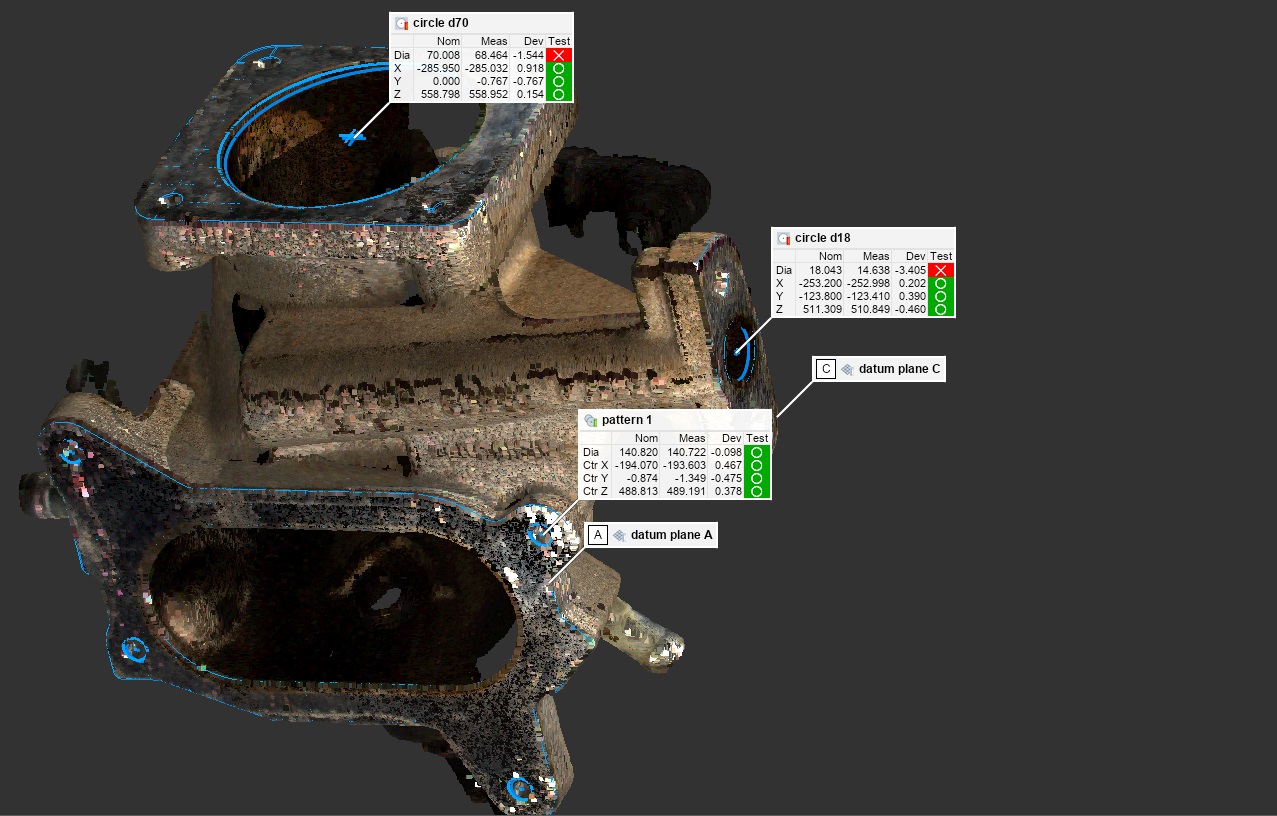
The resulting data is then processed in PolyWorks, where features, datums and tolerances defined from the CAD model and drawing are used to evaluate dimensional conformity. The software generates measurement results showing deviations from nominal values and pass-or-fail status for each specified control.
From Cell Calibration to Automated Inspection
 The inspection workflow begins with calibration of the robot-mounted imaging system. Ajile Calibrate guides the user through a hand-eye calibration procedure to establish the position and orientation of the imager relative to the robot’s tool flange. A reference artefact is then used to verify the measurement cell before production inspection begins.
The robot’s movement programme, positioning and safety arrangements are configured separately. At each programmed inspection position, the robot signals that it has arrived, allowing the imaging system to capture the required view before the robot moves to the next position.
Inspection planning is completed in PolyWorks using the component’s CAD model and drawing. Existing CAD-based measurement plans can provide a starting point, although scan-based inspection requires the feature extraction settings to be configured for point-cloud data. Once established, the inspection plan can be saved as a template and reused for subsequent components.
During production, operators use Ajile Inspect to select the part, enter its serial number and initiate the inspection cycle. The robot executes the programmed sequence of views, after which PolyWorks evaluates the captured data and displays the results, highlighting controls that fall outside their specified limits.
Results are saved against individual parts and can be exported in batch reports, providing a record of inspection outcomes for quality documentation and traceability.
From Robot Programming to Fixed Inspection Cells
Robot-mounted inspection also provides a route towards higher-throughput automated measurement. Once the required viewing positions have been established and validated on the robot cell, the same inspection geometry can be implemented in a fixed Multi-DepthScan frame surrounding the component.
In this configuration, multiple imagers can capture the part simultaneously, reducing the time required to acquire the data compared with sequential robot positioning.
The robot cell is therefore used to develop and validate the inspection approach, while a fixed multi-imager arrangement offers a potential route to shorter cycle times in production environments where inspection speed is critical.
By combining programmable optical data capture with CAD-based dimensional evaluation, the workflow connects robotic inspection with established metrology software and reporting practices. It provides a path from flexible, robot-guided inspection during process development to more rapid, fixed-cell measurement for production applications.
For more information: www.ajile.ca